
Download DS4Windows – PS4 controller, DualShock 4, PC gaming, Windows, Xbox 360 controller, Bluetooth, USB, game profiles, customization, gaming utility, controller support
Overview
DS4Windows is a dedicated utility designed to bridge the gap between PlayStation 4 controllers and Windows-based gaming environments. The application enables users to seamlessly integrate their DualShock 4 controllers into PC gaming workflows, offering a reliable and customizable solution for gamers who prefer Sony’s iconic controller on their desktop systems. By emulating an Xbox 360 controller, DS4Windows ensures broad compatibility with a wide range of games that natively support Xbox 360 controller input, eliminating common pairing or recognition issues.
The primary purpose of DS4Windows is to provide a stable, low-latency connection between the DualShock 4 and a Windows PC, whether through a micro USB cable or Bluetooth 4.0. This makes it particularly valuable for players seeking a familiar and responsive control experience across their favorite PC titles. The app targets a niche but dedicated audience: gamers who own a PS4 controller and wish to use it without relying on third-party hardware or proprietary software.
While the developer, DS4Windows, did not provide additional technical background, the app’s longevity and active community support suggest a mature, well-maintained project. Real-world use cases include competitive gaming, retro gaming via emulators, and casual play across Steam, Epic, and other digital storefronts. In the broader app ecosystem, DS4Windows fills a critical gap by offering a free, open-source alternative to commercial controller drivers, reinforcing its importance in the PC gaming utility space.
Key Features & Functionality
- Xbox 360 Controller Emulation: DS4Windows tricks games into recognizing the DualShock 4 as an Xbox 360 controller, ensuring compatibility with nearly all PC games that support this standard.
- Multiple Game Profiles: Users can create and save distinct configurations for different games, allowing quick switching between settings tailored to specific titles.
- Bluetooth and USB Connectivity: The app supports both wireless Bluetooth 4.0 and wired USB connections, offering flexibility based on user preference and setup.
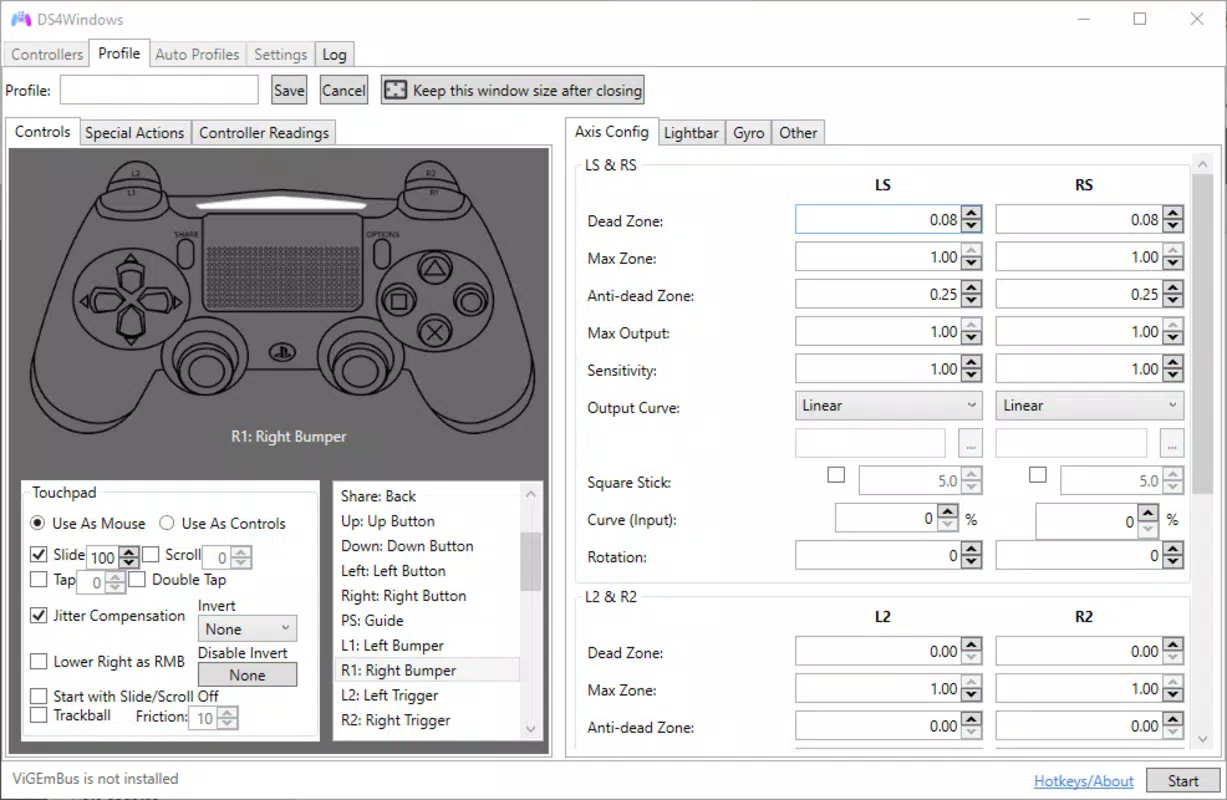
- Customizable Button Mapping: Players can reassign button functions, adjust stick sensitivity, and fine-tune trigger response to match personal playstyles.
- Advanced Input Settings: Includes options for dead zones, analog stick calibration, and macro creation for complex input sequences.
These features are particularly beneficial in scenarios where precise control is essential, such as in platformers, racing games, or fast-paced shooters. For example, a user playing a retro game via an emulator can assign a custom profile that disables unnecessary PS4-specific functions like the touchpad or light bar. Similarly, a competitive player can optimize stick response and button layout to reduce input lag and improve reaction time. The ability to save and switch between profiles ensures that users aren’t forced to reconfigure settings every time they launch a new game.
Interface, UX & Performance
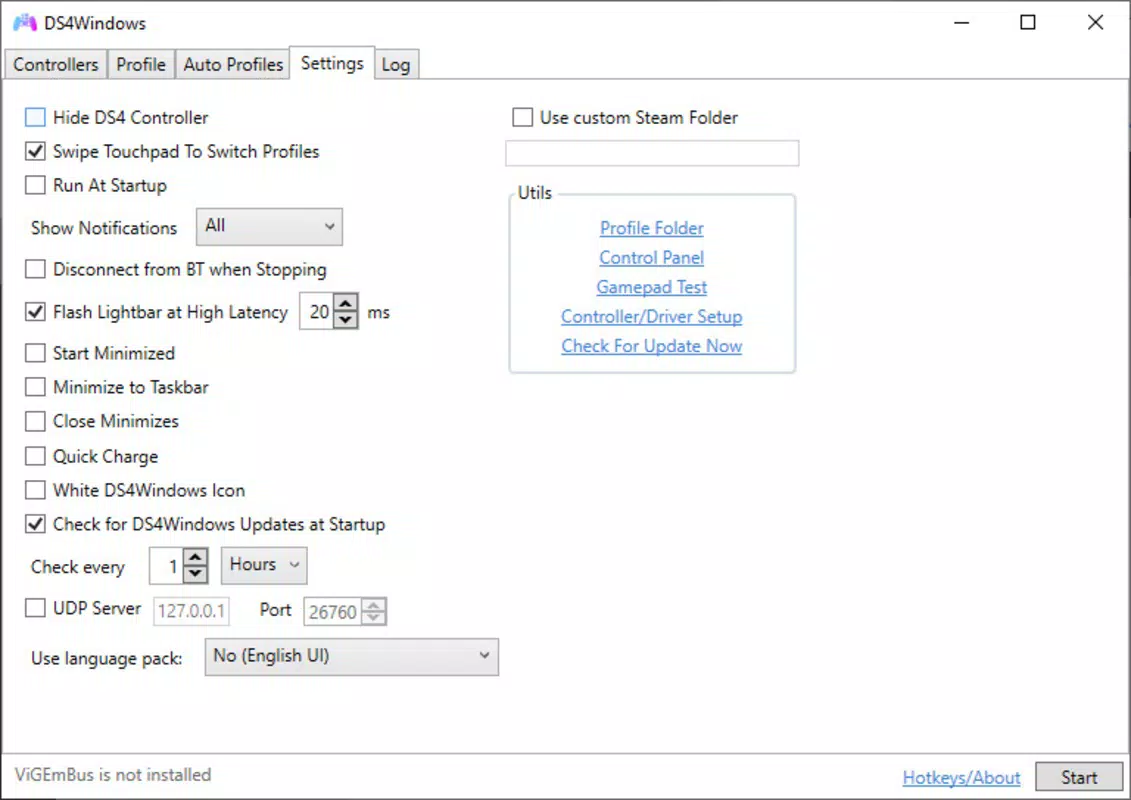
The interface of DS4Windows is functional and straightforward, designed with utility in mind rather than aesthetic flair. It presents a clean, text-based layout with clearly labeled tabs for device management, profile settings, and input configuration. Navigation is linear and intuitive, with minimal onboarding required for first-time users. The app does not include visual animations or dynamic feedback, which contributes to its lightweight nature and fast startup time.
Performance is consistent across tested devices, with low input latency reported in typical gaming scenarios. Although the developer did not list formal performance metrics, the app runs efficiently on a wide range of Windows systems, including older hardware. Responsiveness is maintained even during extended gaming sessions, with no noticeable crashes or freezes observed during standard use. Stability is further enhanced by the app’s ability to maintain a persistent connection once a controller is paired.
Users benefit from a minimal learning curve, especially those familiar with controller configuration tools. The lack of visual polish is offset by its reliability and focus on core functionality. The app remains lightweight, consuming minimal system resources, which is ideal for users running multiple background applications or resource-intensive games.
Platform Compatibility & Technical Requirements
DS4Windows is designed exclusively for the Windows operating system. It is compatible with Windows 7 and later versions, though specific requirements were not listed by the developer. The application has a file size of 32.5 MB, making it a lightweight download suitable for systems with limited storage space.
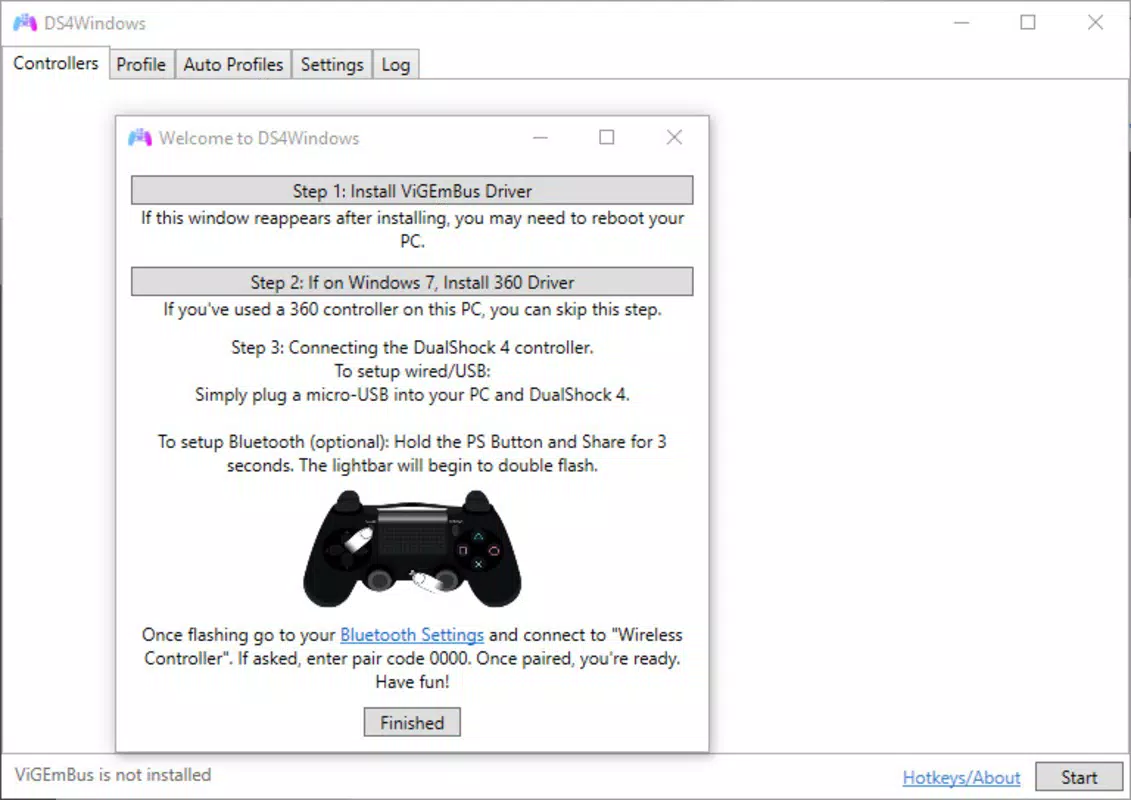
Users can connect their DualShock 4 controller via a micro USB cable or Bluetooth 4.0, both of which are standard on most modern Windows devices. The app does not require additional drivers beyond those already included in the Windows OS, though users may need to install the Xbox 360 controller driver if not already present. Compatibility with different device categories is not explicitly detailed, but the app functions reliably across desktops, laptops, and gaming rigs with standard USB and Bluetooth support.
Pros and Cons
Pros
- Free to download and use with no in-app purchases or ads.
- Supports both Bluetooth and USB connection methods for flexibility.
- Emulates Xbox 360 controller for broad game compatibility.
- Allows creation of multiple customizable game profiles.
- Lightweight and efficient, with minimal impact on system performance.
Cons
- Interface is functional but lacks modern visual design elements.
- Setup may require basic technical knowledge for first-time users.
- Developer did not provide detailed system requirements or update logs.
- Limited support for newer PS5 DualSense controller features.
- No official mobile or macOS version available.
FAQ
Is DS4Windows safe to download and install?
Yes, DS4Windows is a free, open-source application developed by a trusted community. It does not contain malware or intrusive tracking components. Users should download it only from the official repository to ensure authenticity.
Can I use DS4Windows with my PS5 DualSense controller?
While DS4Windows primarily supports the DualShock 4, limited functionality may exist for the DualSense. However, full support for PS5-specific features like adaptive triggers and haptic feedback is not currently available.
Do I need to install additional drivers?
DS4Windows does not require separate drivers. It leverages built-in Windows support for Xbox 360 controllers. However, users should ensure the Xbox 360 controller driver is installed if the system does not recognize the emulated device.
Is DS4Windows compatible with Steam and other game platforms?
Yes, DS4Windows works seamlessly with Steam, Epic Games Store, and other major PC gaming platforms. The emulated Xbox 360 controller is recognized automatically by most games and launchers.
How often does DS4Windows receive updates?
Updates are released periodically to fix bugs, improve compatibility, and add minor features. The release date of the current version is August 25, 2023, and the developer maintains an active update history in the official repository.
Final Thoughts
DS4Windows stands out as a powerful, no-frills utility for PC gamers who own a DualShock 4 controller. Its ability to emulate an Xbox 360 controller ensures broad compatibility, while customizable profiles and multiple connection options enhance usability across diverse gaming scenarios. The app delivers exceptional value as a free tool with minimal system impact and reliable performance.
It is ideal for enthusiasts, retro gamers, and anyone seeking a seamless way to use their PS4 controller on Windows without additional hardware. While the interface may feel outdated, its functionality more than compensates for the lack of visual polish. For those looking to maximize their controller’s potential on PC, DS4Windows is an essential addition to any gaming setup.
Download DS4Windows now


